 FLY
FLYSay more. Write an article.
Some things need more room than a flight. Articles give you a cover, a headline and a real editor, right inside FLY(er).
Free on iPhone, iPad and Mac. On Android? Install it from the web.On iPhone? It's on the App Store.
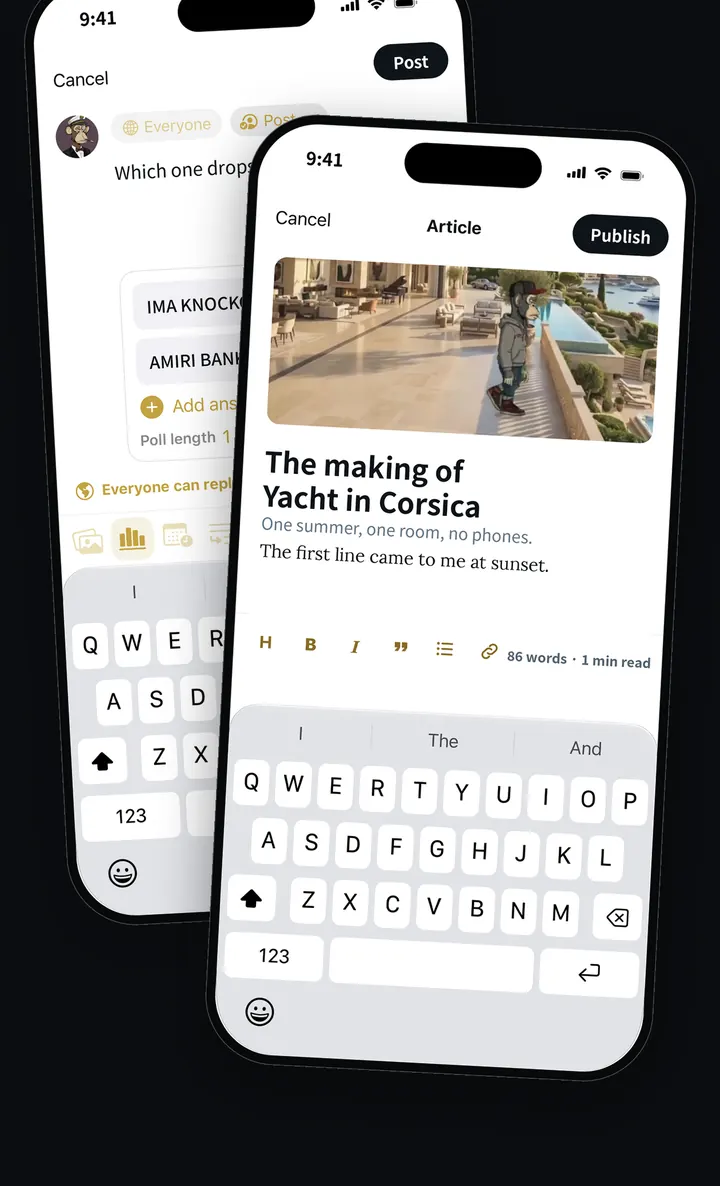
Set like a magazine.
Start with a cover photo, then a title and a subtitle. Write with headings, bold, italics, quotes, lists and links, while the editor counts your words and the minutes it takes to read.
Published like a flight.
Tap Publish and your article reaches your followers like any flight, with a card that opens the full piece. People can like, reply, ReFlight and save it.
Open anywhere.
Articles have their own pages on the web, and on iPhone a shared article opens instantly, even for people who haven't installed FLY(er) yet.
Questions.
Can anyone write articles on FLY(er)?
Yes. Articles are part of posting on FLY(er). Open the composer and choose Article.
Keep exploring
Claim your @handle before someone else does.
FLY(er) is free on iPhone, iPad and Mac, and installs from the web on Android.