 FLY
FLY@WREN· 4m
This is the energy we needed today.
@NOVA
Studio tonight. New one drops Friday. Who's ready? 👑A flight is a post. Words first, and they reach everyone who follows you the moment you post. Here's everything a flight can do.
Free on iPhone, iPad and Mac. On Android? Install it from the web.On iPhone? It's on the App Store.
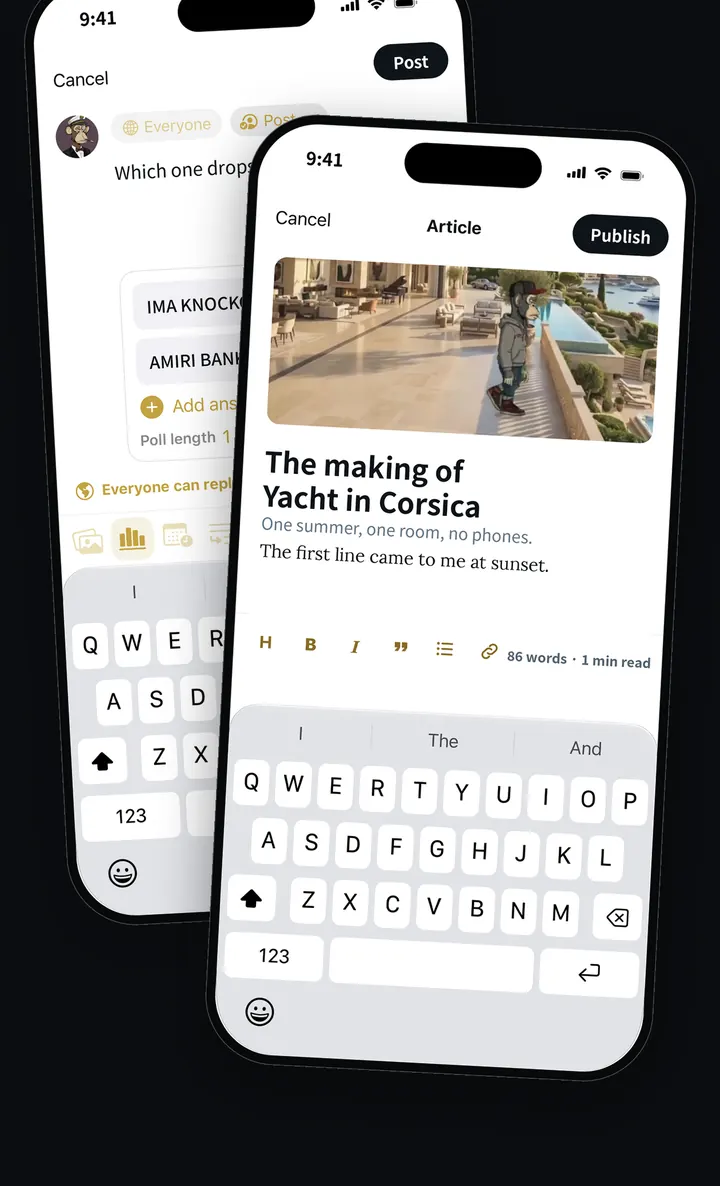
Type what's on your mind and tap Post flight. It lands on the radar of everyone who follows you, live, in the order it was posted. On a public account, anyone can find it. On a private account, only the followers you approve can see it.
Every flight gets its own short share link and a designed preview card, so it looks right wherever you paste it.
This is the energy we needed today.
Ask with a poll and watch the votes come in. Say more with a thread: a run of flights that read in order. Image flights are a perk for Flyers with 10,000 points and for verified accounts, and every image is checked before it reaches anyone's radar. Describe your photos with alt text so everyone can enjoy them.
Which one drops first?
A ReFlight sends someone's flight to everyone who follows you. Want to add your take? Quote it, and your words sit on top with theirs underneath. Anyone can see who ReFlighted a flight.
Decide who can reply to each flight, hide the replies you don't want under it, and sort a conversation the way you like. Replies can be liked too, so the best answer rises.
Posted too fast? You get five seconds to undo. Spotted a typo later? Edit the flight. Not ready? Keep it as a draft. Want it out at the perfect moment? Schedule it, and it posts itself.
Styled words let your flight stand out with bold looks, unlocked at 10,000 points. And any flight in any language can be translated with a tap, right where it sits.
Every flight shows how many times it's been seen, and your own analytics show daily views and who followed you. Save flights into folders to come back to. Fifty popular hashtags, from #NewMusic and #OutNow to #Birthday and #TBT, get their own little icon, and seasonal ones like #Halloween and #Christmas appear when it's time.
The details most people only find by accident.
Pin your best flight to the top of your profile. One at a time, so it means something.
A flight can show the city you set in Settings. FLY(er) never detects your location, and there's no default.
In the app, press and hold any flight for a preview with Reply, Like, ReFlight, Save, Share and Copy link.
A link in a flight is checked for malware and adult sites before it posts. If it can't be checked, your flight waits in the composer.
A flight is a post: words, and optionally a poll, a thread or a photo. It reaches everyone who follows you as soon as you post it.
Yes. You can edit a flight after posting, delete it any time, and undo it within five seconds of posting.
Yes. Schedule a flight for a date and time and it posts itself.
Image flights unlock at 10,000 points and are included for verified accounts. Every image is checked before it appears.
FLY(er) is free on iPhone, iPad and Mac, and installs from the web on Android.